Learn the words that matter. Yours.
OwnLingo is for learners who explore the language on their own — through videos, news, podcasts, books, travel, relocation and more. One place to save every word and phrase worth keeping, then learn it for good in extended context.
Coming soon on
- App Store
- Google Play
- Web
Why another vocabulary app
Because the course ends where the language begins.
You have built a foundation with structured courses. Now comes the part you have been looking forward to — the language at full speed, on your own terms, whatever you choose to listen to, watch, read or speak about. A growing vocabulary helps you go further.
-
01
Your words, not a syllabus.
The list is yours. Extend it as your needs change, and drop anything you no longer want.
-
02
One word in, a whole family out.
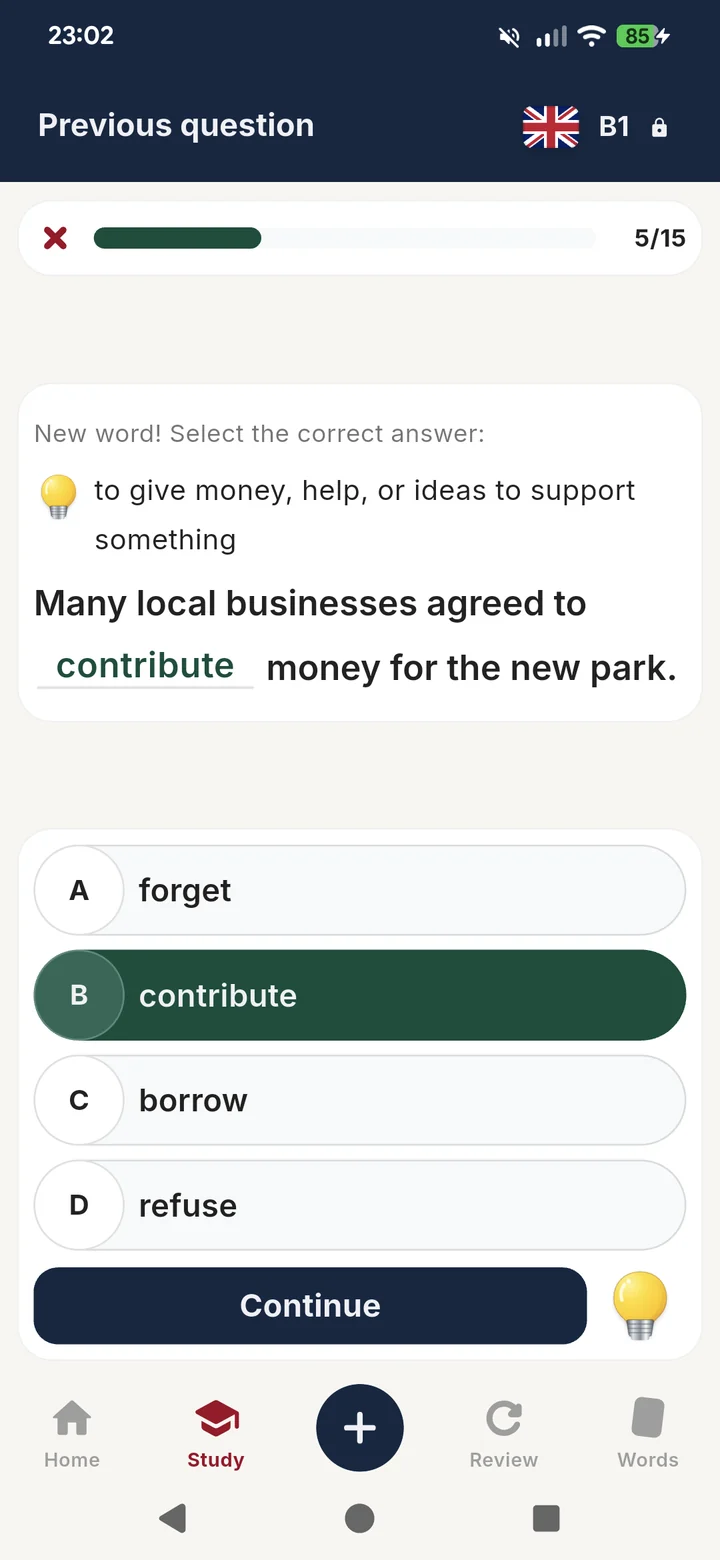
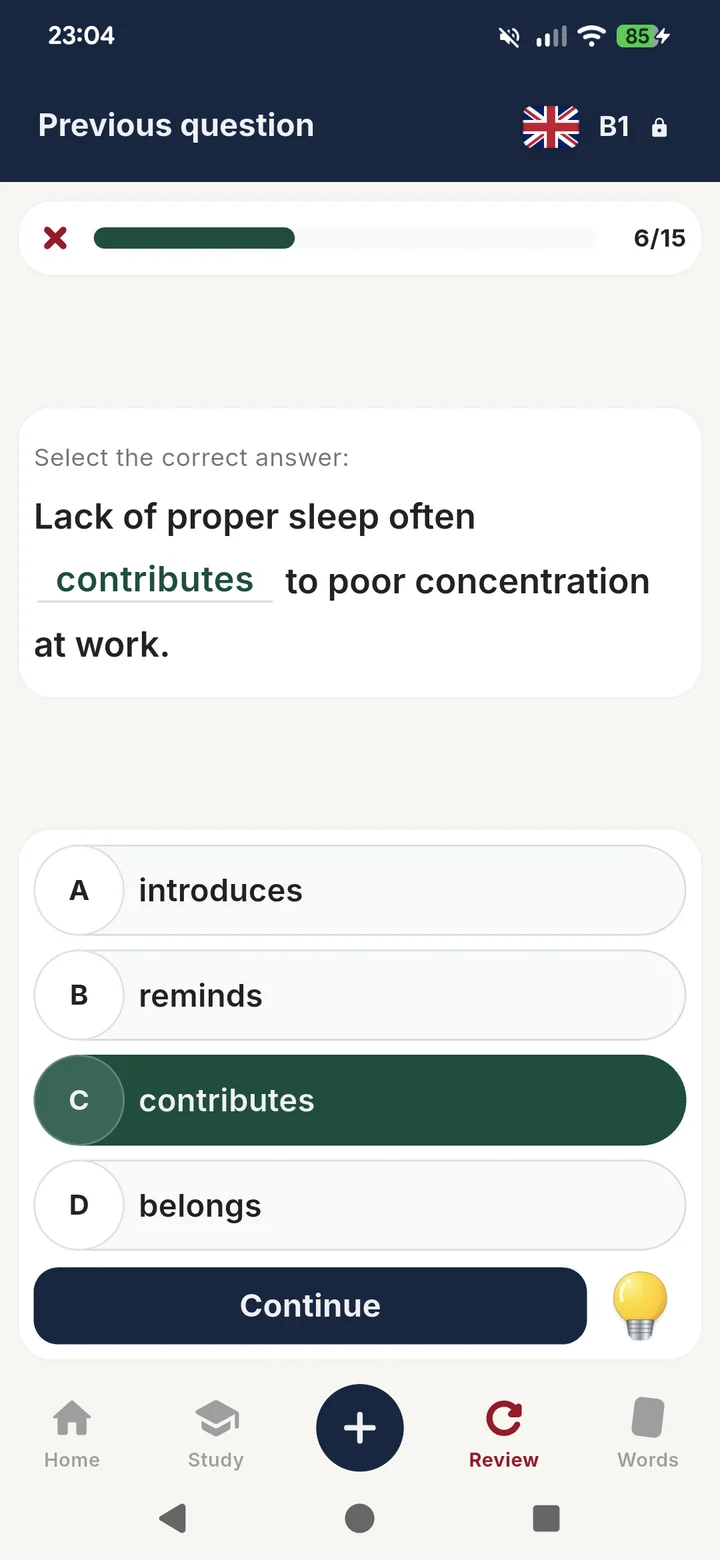
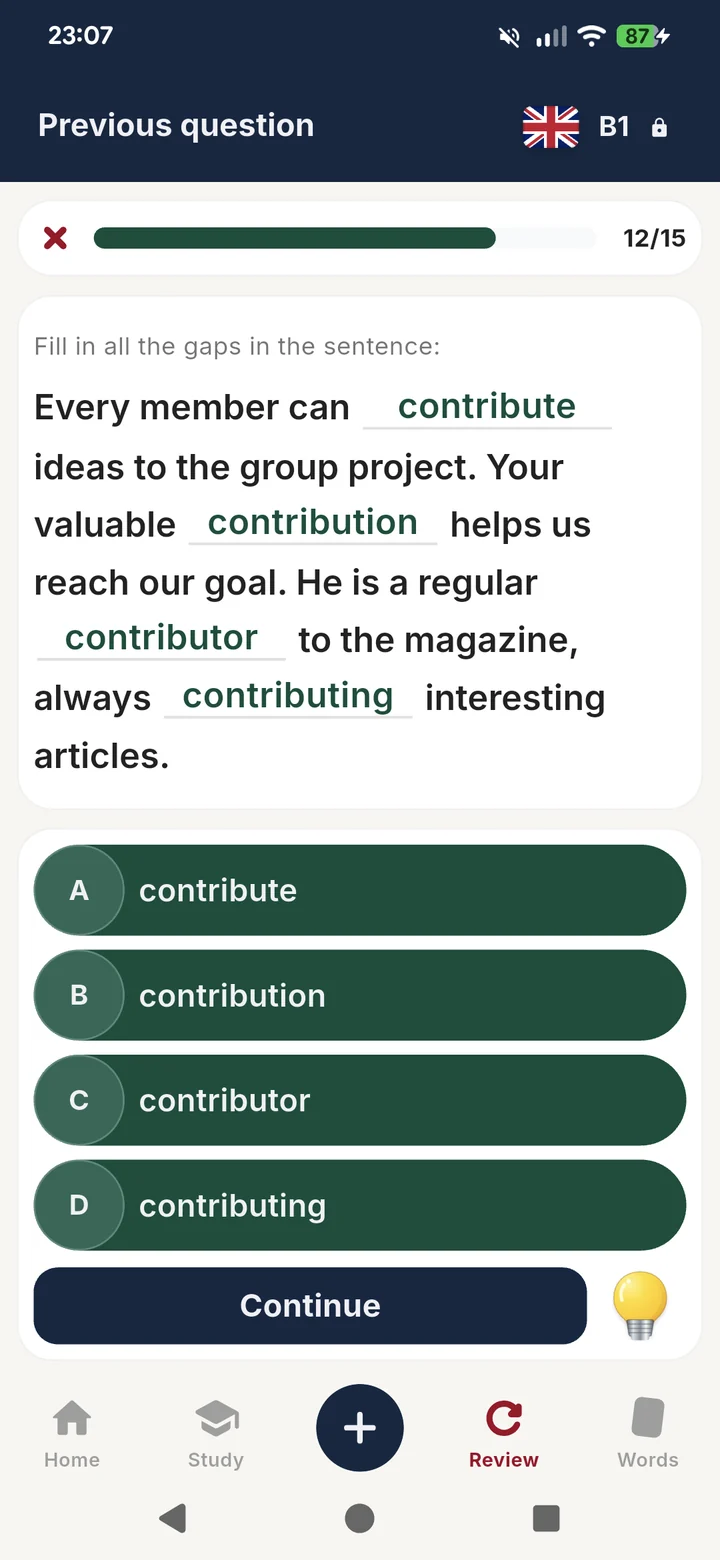
Save contribute and you also get contribution and contributor — even contributory. Every word arrives with its family and its different meanings, so you can understand and use it with confidence.
-
03
You stay inside the language.
Meanings, examples and exercises are written in the language you are learning — and so is the app itself. This helps you rely less on translation and start thinking in that language.
-
04
Sentences worth learning.
Every example matches your level and sounds like language adults really use. Each sentence shows the word in a common situation or word combination, with a different example each time.
-
05
No lives, no leagues, no coins.
A wrong answer is simply another chance to practise. Learn at your own pace, without competition or penalties.
-
06
Minimum gamification
A streak helps you keep the daily habit — and you can freeze it when life happens, keeping the progress you have made.
How it works
Save the word. We take care of the rest.
-
STEP 01
Catch it in the wild
Type the word the moment you meet it — in subtitles, a podcast or a novel — wherever you find it. Already keeping a list elsewhere? Paste it in or import the file.
-
STEP 02
Get back more than you typed
You get a full set of learning material — different meanings, real sentences, audio, and the whole word family. One saved word, several more to use.
-
STEP 03
Move it into active use
Spaced repetition brings each word back for review, helping you make it part of your active vocabulary.
Inside the app
Exercises that carry a word from first sight to active use.
A few examples from a real B1 English vocabulary list.
Languages and levels
Five languages, four levels.
Study more than one language at a time — each has its own level and pace. You can change either whenever you like.
Languages
 English
 Spanish
 French
 German
 Italian
Levels
- B1 Intermediate
- B2 Upper intermediate
- C1 Advanced
- C2 Near-native
More languages are on the way.
Early access
Begin with one word you keep forgetting.
OwnLingo is in early preview. Leave your email address and you will be invited when the test phase opens. Join a small group of learners helping shape the app before launch.
Coming soon on
- App Store
- Google Play
- Web